Mailcheap - Free, Secure, Disposable & Temporary Email Solution
In the digital world, privacy has become one of the most valuable assets. Whether you’re signing up for an online contest, trying out a new website, or downloading an app, you’re constantly asked to share your email address. Unfortunately, that often means opening the floodgates to spam, junk mail, and intrusive marketing messages. This is where Mailcheap steps in - a fast, reliable, and secure solution that provides you with disposable and temporary mail addresses to protect your identity and privacy online.
Why you need Mailcheap
Almost every online activity requires an email address-from shopping and newsletters to signing up for free trials or using social media. However, once your personal email is out there, it’s hard to control how it’s used. Many websites sell or share user data, leading to endless spam. The best way to avoid this chaos is by using Mailcheap, which allows you to create a fakemail or temp mail generator address instantly.
Instead of giving out your real email, you can use a temporary mail from Mailcheap for quick verifications or short-term communication. Once you’re done, the email self-destructs, deleting all data and messages, leaving no trace behind. It’s a smart way to maintain digital hygiene while enjoying the full benefits of online access.
What Is a Disposable Temporary Email?
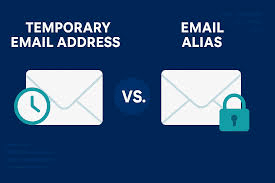
A disposable temporary email is exactly what it sounds like-a short-lived, self-destructing email address designed for one-time use. It allows you to receive verification codes, newsletters, or promotional content without exposing your real inbox. Typically, these emails last for a few minutes to an hour, after which they’re automatically deleted along with any messages received.
Mailcheap has mastered this concept, offering free, anonymous, and secure disposable emails to anyone who values online safety. It’s quick to generate, easy to use, and doesn’t require any sign-up or personal information. Whether you need to test a platform or access a download link, Mailcheap gives you peace of mind with total privacy.
The Technology Behind Mailcheap
Every app, website, and service these days asks for an email ID. However, that convenience comes with the risk of spam or even data leaks. Mailcheap tackles this issue using advanced temp mail generator technology that creates unique, valid, and secure email addresses for temporary use.
Once a user generates an address, they can immediately receive incoming messages in real time. The mailbox can be refreshed, changed, or deleted with just a click. Once the time limit expires, all data associated with the address is automatically destroyed. This ensures your private details remain completely safe.
Mailcheap also operates without storing your personal details. The entire process is anonymous, ensuring you stay protected even from data miners or hackers.
Benefits of Using Mailcheap
- **Protection from Spam **– Since your real inbox remains untouched, you no longer have to deal with endless junk or marketing emails.
- **Enhanced Privacy **– Using a temporary mail address keeps your real identity hidden from websites that track user behavior.
- **Instant Access **– Mailcheap doesn’t require registration. You get an instant inbox within seconds.
- Self-Destructing Addresses – Once expired, your fakemail and all received content are automatically erased.
- No Personal Data Storage – The service is completely anonymous, ensuring zero data leaks.
- **Universal Compatibility **– Works seamlessly across browsers and devices, allowing access anytime, anywhere.
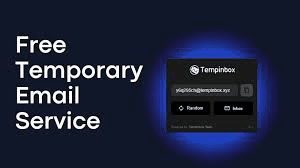
How to Use Mailcheap Using Mailcheap is as easy as it gets. Simply visit the website, and you’ll automatically be assigned a unique temporary email address such as [email protected]. Copy it and use it wherever you need an email verification. Once you receive a message, it appears instantly in your Mailcheap inbox. You can refresh, change, or delete the address at any time. The entire interface is clean, user-friendly, and requires no technical skills. When you’re done, close the tab, and the temporary inbox will self-destruct-ensuring your privacy remains intact.
Why Businesses and Developers Use It
Even businesses and developers find Mailcheap useful for testing and validation purposes. Instead of flooding their work emails with testing data, they can use disposable emails for app testing, demo accounts, and marketing checks. It’s also great for avoiding bounce rate issues caused by spam registrations or bots. For marketers, Mailcheap ensures clean data collection by preventing fake sign-ups from compromising campaign analytics. Developers can safely test user registration and password reset systems using temp mail generator addresses without cluttering their official inboxes.
Comparison with Other Temporary Email Services
While there are many temporary mail services available, Mailcheap stands out due to its simplicity, reliability, and privacy-first approach. Unlike other platforms that may store data or require partial sign-ups, Mailcheap ensures full anonymity with no logging or tracking. Its instant access, clean dashboard, and automatic destruction feature make it ideal for quick and secure online interactions. Moreover, Mailcheap’s multiple domain options like hurrymail.fun and others add flexibility and variety to your disposable email usage.
Final Thoughts
In a world where your email is constantly exposed to threats, spam, and data breaches, having control over your digital privacy is essential. Mailcheap is not just another disposable email provider, it’s your armor against online clutter and unwanted surveillance. Whether you’re exploring new websites, testing apps, or subscribing to newsletters, using Mailcheap ensures your main inbox stays clean and your personal identity remains hidden. The next time you’re asked for an email address online, don’t hesitate-just generate a quick fakemail using Mailcheap’s temp mail generator and stay secure with confidence.